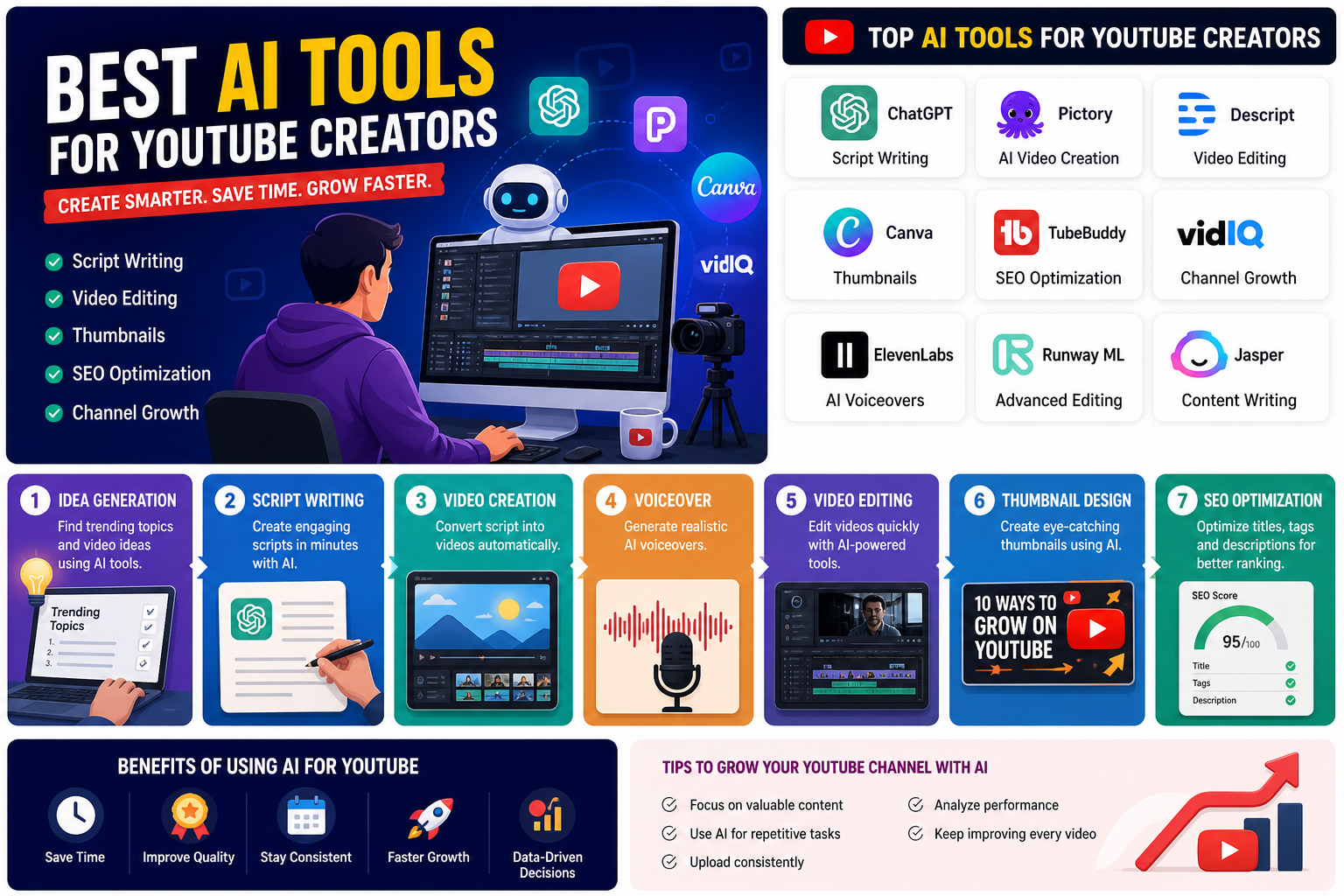
Introduction: The Real Problem Every YouTuber Faces
Starting a YouTube channel sounds exciting… until reality hits.
You spend hours:
- Thinking of video ideas
- Writing scripts
- Editing videos
- Designing thumbnails
And after all that effort?
Barely any views.
That’s where AI comes in.
Today, the best AI tools for YouTube creators can save time, improve quality, and even help you grow faster—especially if you’re a beginner or running a faceless channel.
Let me walk you through everything in a simple, practical way.
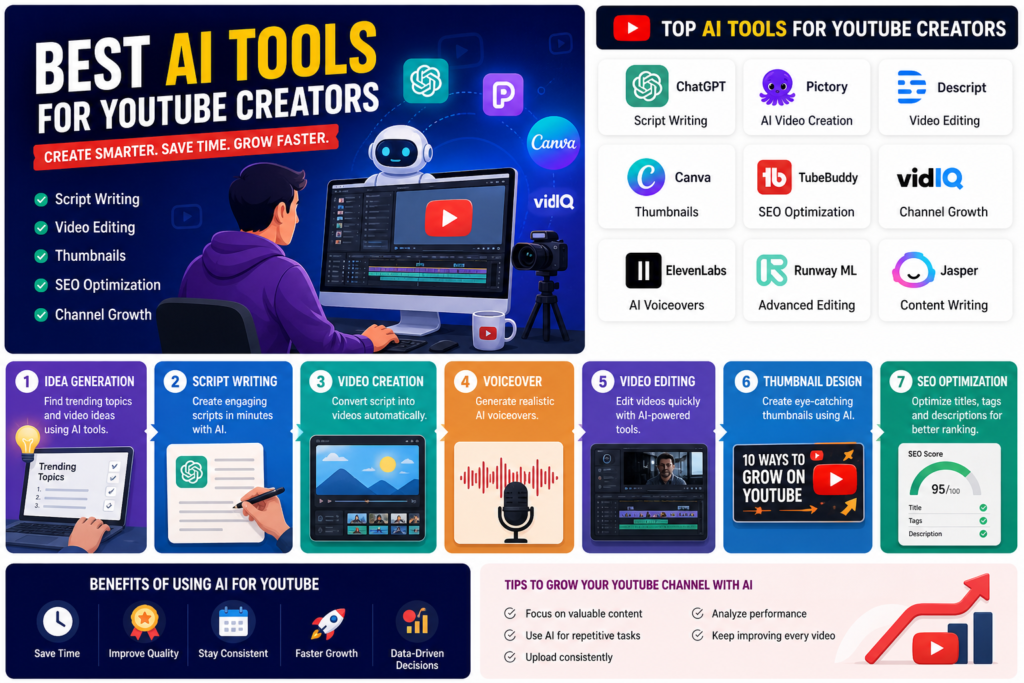
What Are AI Tools for YouTube Creators?
AI tools are software powered by artificial intelligence that help automate and improve different parts of YouTube content creation.
They can help you with:
- Script writing
- Video editing
- Thumbnail design
- Voiceovers
- SEO optimization
In simple words:
AI tools act like your content team, even if you’re working alone.
Benefits of Using AI for YouTube Growth
Using AI is not about replacing creativity—it’s about enhancing it.
Here’s what you gain:
- Save Time
- Create videos faster with automation
- Better Quality Content
- AI improves scripts, visuals, and editing
- Consistency
- Post regularly without burnout
- Beginner-Friendly
- Perfect for those learning how to use AI for YouTube videos
- Faster Growth
- Use AI tools to grow YouTube channel fast with data-driven insights
Best AI Tools for YouTube Creators
| Tool Name | Best For | Key Features | Free Version | Pros | Cons |
| ChatGPT | Script Writing | Ideas, scripts, SEO titles | Yes | Beginner-friendly | Needs editing |
| Pictory | Faceless Videos | Text-to-video, captions | Yes | No editing skills needed | Limited customization |
| Descript | Video Editing | Text-based editing, voice cloning | Yes | Fast workflow | Learning curve |
| Canva | Thumbnails | Templates, AI design | Yes | Easy to use | Limited advanced tools |
| TubeBuddy | SEO Optimization | Keywords, tags | Yes | Boosts ranking | Paid features |
| VidIQ | Channel Growth | Analytics, trends | Yes | Data insights | Complex for beginners |
| ElevenLabs | Voiceovers | AI voices | Limited | High-quality audio | Paid plans |
| Runway ML | Advanced Editing | Effects, background removal | Limited | Powerful features | Needs practice |
| Jasper AI | Content Writing | Long-form, SEO content | No | High quality output | Expensive |
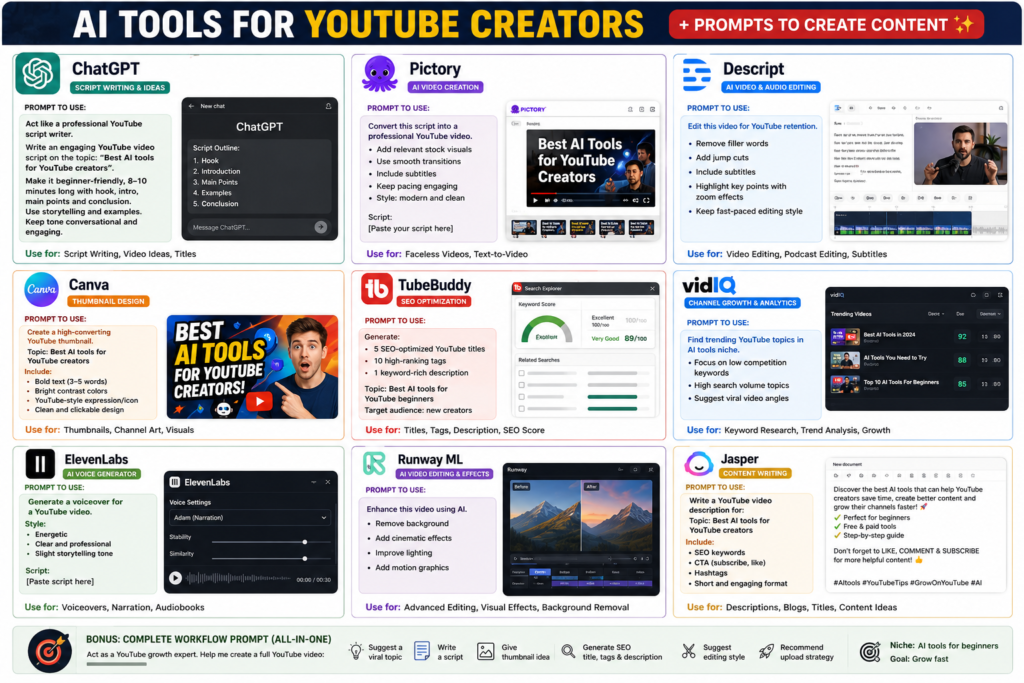
Here are some of the best AI tools for YouTube beginners and professionals:
Description
A powerful AI for generating scripts, ideas, and video outlines.
Features
- Script writing
- Video ideas generation
- SEO-friendly titles & descriptions
Pros
✔ Easy to use
✔ Great for beginners
✔ Saves brainstorming time
Cons
✖ Needs human editing for tone
Best Use Case
AI tools for YouTube script writing
-
Pictory
Description
Turns scripts or blog posts into videos automatically.
Features
- Text-to-video
- Auto captions
- Stock footage integration
Pros
✔ Perfect for faceless channels
✔ No editing skills required
Cons
✖ Limited customization
Best Use Case
AI tools for faceless YouTube channels
-
Descript
Description
An AI-powered editor that lets you edit video like a document.
Features
- Text-based editing
- Voice cloning
- Screen recording
Pros
✔ Easy editing
✔ Great for podcasts
Cons
✖ Learning curve initially
Best Use Case
AI tools for YouTube video editing
-
Canva
Description
Popular tool for creating thumbnails and visuals.
Features

- AI thumbnail generator
- Drag-and-drop editor
- Templates
Pros
✔ Beginner-friendly
✔ Free version available
Cons
✖ Limited advanced editing
Best Use Case
AI tools for YouTube thumbnails
Description
Helps optimize videos for search and ranking.
Features
- Keyword research
- Tag suggestions
- SEO score
Pros
✔ Boosts discoverability
✔ Easy integration
Cons
✖ Paid features needed
Best Use Case
AI tools for YouTube SEO optimization
-
VidIQ
Description
Advanced analytics and growth tracking tool.
Features
- Keyword insights
- Competitor analysis
- Trend alerts
Pros
✔ Data-driven growth
✔ Helps go viral
Cons
✖ Can feel overwhelming
Best Use Case
AI tools to grow YouTube channel fast
-
ElevenLabs
Description
Creates realistic AI voiceovers.
Features
- Natural voices
- Multiple languages
- Custom voice cloning
Pros
✔ High-quality audio
✔ Great for automation
Cons
✖ Paid for full access
Best Use Case
Faceless YouTube voiceovers
-
Runway ML
Description
Advanced AI editing and visual effects tool.
Features
- Background removal
- AI effects
- Motion tracking
Pros
✔ Professional results
✔ Powerful features
Cons
✖ Needs practice
Best Use Case
Advanced video editing
-
Jasper AI
Description
Helps create scripts, titles, and descriptions.
Features

- Long-form writing
- Marketing templates
- SEO content
Pros
✔ High-quality writing
✔ Saves time
Cons
✖ Subscription cost
Best Use Case
Script + SEO content
How to Use AI Tools for YouTube?
Let’s simplify it step-by-step:
Step 1: Generate Video Idea
Use AI (like ChatGPT or VidIQ) to find trending topics.
Step 2: Write Script
Use AI tools for YouTube script writing to create a structured script.
Step 3: Create Video
- Use Pictory or Runway ML
- Add visuals automatically
Step 4: Add Voice
- Use ElevenLabs for voiceovers
Step 5: Edit Video
- Use Descript for quick editing
Step 6: Design Thumbnail
- Use Canva for attractive thumbnails
Step 7: Optimize SEO
- Use TubeBuddy or VidIQ
- Add keywords, tags, and descriptions
Which AI Tool is Best for YouTube Videos?
There’s no single “best” tool—it depends on your goal:
- For beginners: ChatGPT + Canva
- For faceless channels: Pictory + ElevenLabs
- For SEO: VidIQ + TubeBuddy
- For editing: Descript or Runway ML
The best strategy is to combine tools.
Can AI Help Grow a YouTube Channel?
Yes—but with a condition.
AI can:
- Speed up content creation
- Improve quality
- Optimize SEO
But growth still depends on:
- Consistency
- Content value
- Audience connection
AI is a tool, not a shortcut.
Tips to Grow a YouTube Channel Using AI
Here are practical tips:
- Focus on Content First
AI helps, but your idea matters most.
- Use AI for Repetitive Tasks
Let AI handle:
- Editing
- Voiceovers
- SEO
- Stay Consistent
Upload regularly using AI automation.
- Analyze Performance
Use VidIQ to track what works.
- Improve Every Video
Use AI feedback to refine your content.
How to Use AI for YouTube Videos Effectively
To truly succeed:
- Don’t rely 100% on AI
- Add your personal touch
- Keep content authentic
Because viewers connect with humans, not robots.
Conclusion: Is AI Worth It for YouTube Creators?
Absolutely.
The best AI tools for YouTube creators can:
- Save time
- Improve quality
- Help you grow faster
But the real power comes when you combine:
AI + Creativity + Consistency
If you’re serious about YouTube, start using AI today—but use it smartly.
Call to Action
Don’t wait for the “perfect moment.”
Pick 1–2 AI tools from this list and start your next video today.
Your future YouTube success might just begin with AI.
FAQs
- What are the best AI tools for YouTube beginners?
ChatGPT, Canva, and Pictory are great starting tools for beginners.
- Are there free AI tools for YouTube video creation?
Yes, tools like Canva and ChatGPT offer free versions.
- Can I create a YouTube channel using only AI?
Yes, especially faceless channels—but human creativity is still important.
- Which AI tool is best for YouTube SEO optimization?
VidIQ and TubeBuddy are the best for SEO and ranking.
- How to use AI for YouTube videos effectively?
Use AI for scripting, editing, and SEO—but always add your personal touch.

Kotaru Venkata Ramana
I write about AI in education and AI exploration, focusing on how artificial intelligence can support learning, teaching, and the future of education in simple and practical ways.